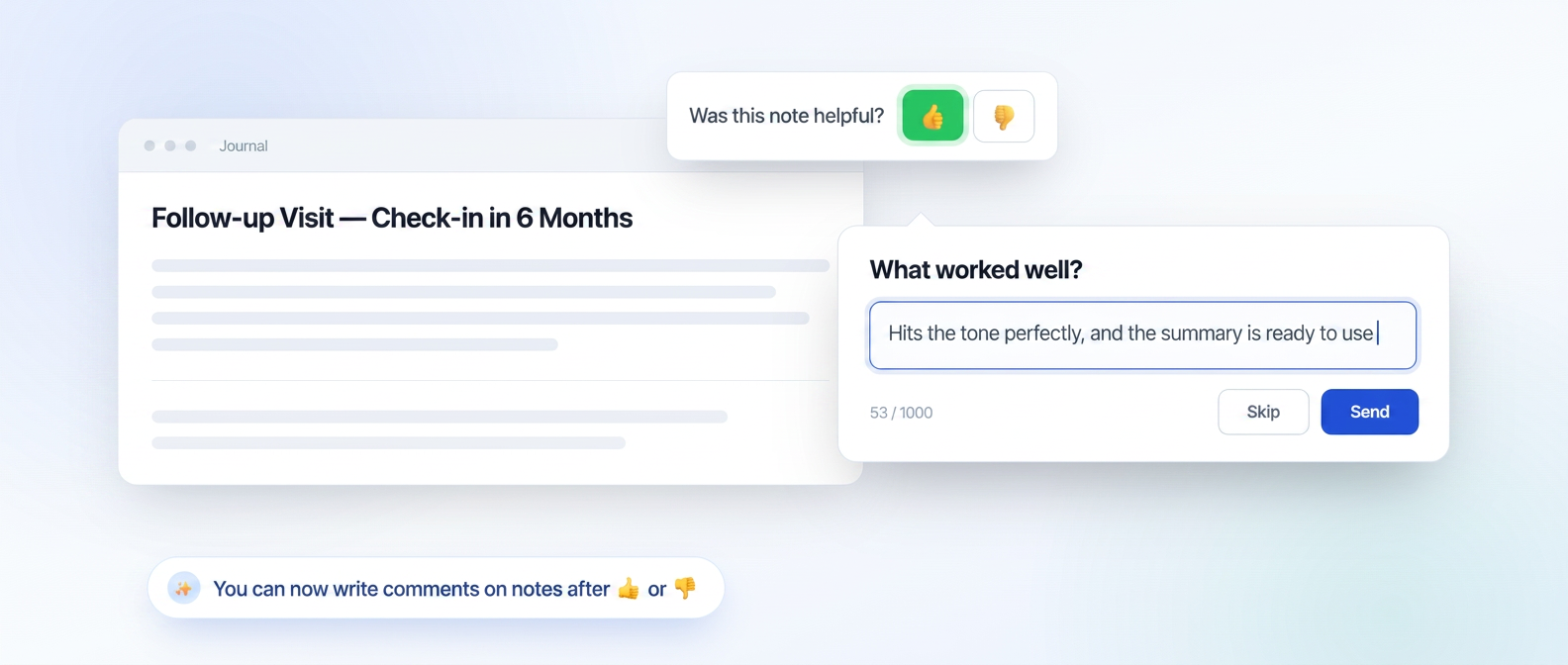
The quality of a clinical note is easiest to judge in the moment you read it. That is why you can now give feedback directly in the note view – right where the note is.
Below each journal note you will now find the question "Was this note helpful?" with two buttons: thumbs up or thumbs down. It takes less than two seconds – and you can add detail if you like.
How to give feedback
- 1Open a generated journal note in Voicare.
- 2Rate the note with thumbs up or down under "Was this note helpful?".
- 3Optionally write a short comment (up to 1,000 characters) about what worked well – or what was missing.
- 4Click "Send" – or "Skip" if you are in a hurry. The comment is always optional.
Why your feedback matters
Every rating helps us understand what works in your notes – and what can be improved. Your feedback is used to improve the Voicare AI assistant, so your notes over time get even closer to the way you document.
- Thumbs up/down shows us when a note hits the mark.
- Your comments pinpoint exactly what can be improved – e.g. structure, level of detail or phrasing.
- Feedback is always optional and takes only seconds.
Try it on your next note
Next time you open a journal note, you will see the feedback field at the bottom. One click is enough – but we are grateful for every comment.
Voicareproduct updatefeedback
Share Article